Turn Static Posts Into Scroll-Stopping Motion
Turn photos into videos for Instagram, TikTok, YouTube Shorts, and more—no complicated editing required. Upload any image, add AI-powered motion, and create engaging vertical videos in minutes.
Animate Your PostsCreate Content for Every Platform
Vidaloops helps individual creators produce content for their personal channels, portfolio, business, or audience.
Instagram, TikTok & Facebook Reels
Create quick vertical clips for updates, promotions, announcements, and behind-the-scenes content.
YouTube Shorts & Feed Posts
Repurpose animated images into compact educational, entertaining, or personal videos.
Websites and Portfolios
Add subtle motion to featured work, landing pages, galleries, or creator portfolios.
Make Reels from Your Photos
Vidaloops helps individual creators produce content for their personal channels, portfolio, business, or audience.
Multiple Clips to a Complete Reel
Some posts only need one animated scene. Others work better as a sequence. Vidaloops allows you to combine multiple clips into a complete video.
Fast, no editing
-

Resize for Any Scene Ratio
Adapt your photo to your video format, such as 16:9, 1:1, without manual cropping.
-

Restore and Repair Old Pictures
Clean up dust, noise, skin tones, and imperfections while preserving original colours.
-

Upscale and Enhance Image Quality
Sharpen low-resolution images and improve quality before animation.
-

Retouch and Clean Details
Fix blemishes, lighting, and small imperfections without advanced editing tools.
-

Apply Creative Preset Styles
Choose styles like cinematic, realistic, or watercolor to shape the image mood.
-

Prompt Your Own Edits
Describe the changes you want and guide the AI toward your desired result.
-

Manage Assets & Projects
Manage and organize your assets into categories to keep your library organized when working across multiple projects
-

Version History
Keep track of your edits and quickly restore previous scenes and images
How It Works
Vidaloops provides one straightforward workflow designed for content creators
-
01
Upload your visuals or generate with Ai
-
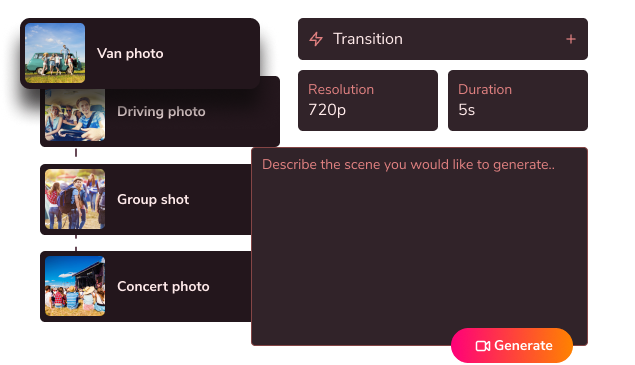
02
Edit, customize & blend your scenes
-
03
Generate your fully animated video
Create More With Vidaloops
Multi-scene video works even better when paired with other Vidaloops features.
-

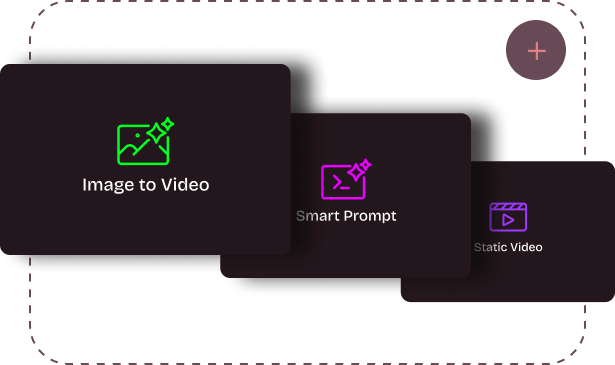
Image to Video
Turn still images into an AI-generated motion scenes.
-

Smart Prompt to AI Video
Create an AI-generated videos from a written prompt.
-

Static to Video
Add your own static media to your project without AI.
Best for Creators and Businesses
Frequently asked questions
How do I turn my photos into a reel?
Upload a photo to Vidaloops, choose a motion preset or describe how you want the image to move, and generate the animated clip. You can use one clip as a short reel or combine several animated photos into a longer video with music and transitions.
What aspect ratios are supported for TikTok and Instagram?
Common social formats include 9:16 for TikTok, Instagram Reels, YouTube Shorts, and Stories; 4:5 for portrait feed posts; 1:1 for square posts; and 16:9 for landscape video. Confirm the exact aspect ratios and resolutions currently supported in your Vidaloops account before beginning a project.
Do I need editing skills?
No. Vidaloops is designed for creators without professional editing experience. You upload a photo, choose or describe the motion, review the result, and export the finished clip. You do not need to work with keyframes, masks, layers, or a traditional editing timeline.
How is this different from CapCut or Canva?
CapCut and Canva are primarily editing and design tools that help arrange static assets, text, music, effects, and transitions. Vidaloops uses AI to create movement inside the photo itself, allowing people, objects, backgrounds, lighting, and environmental details to animate. It also provides access to multiple AI video models and multi-scene creation through one workflow.
Create More Motion From the Content You Already Have
No complicated editing. No filming required. No need to manage multiple AI tools. Just upload and bring your post to life.
Animate Your Posts